
Stacking Discounts: When You Can Combine Coupons, Codes, and Rewards
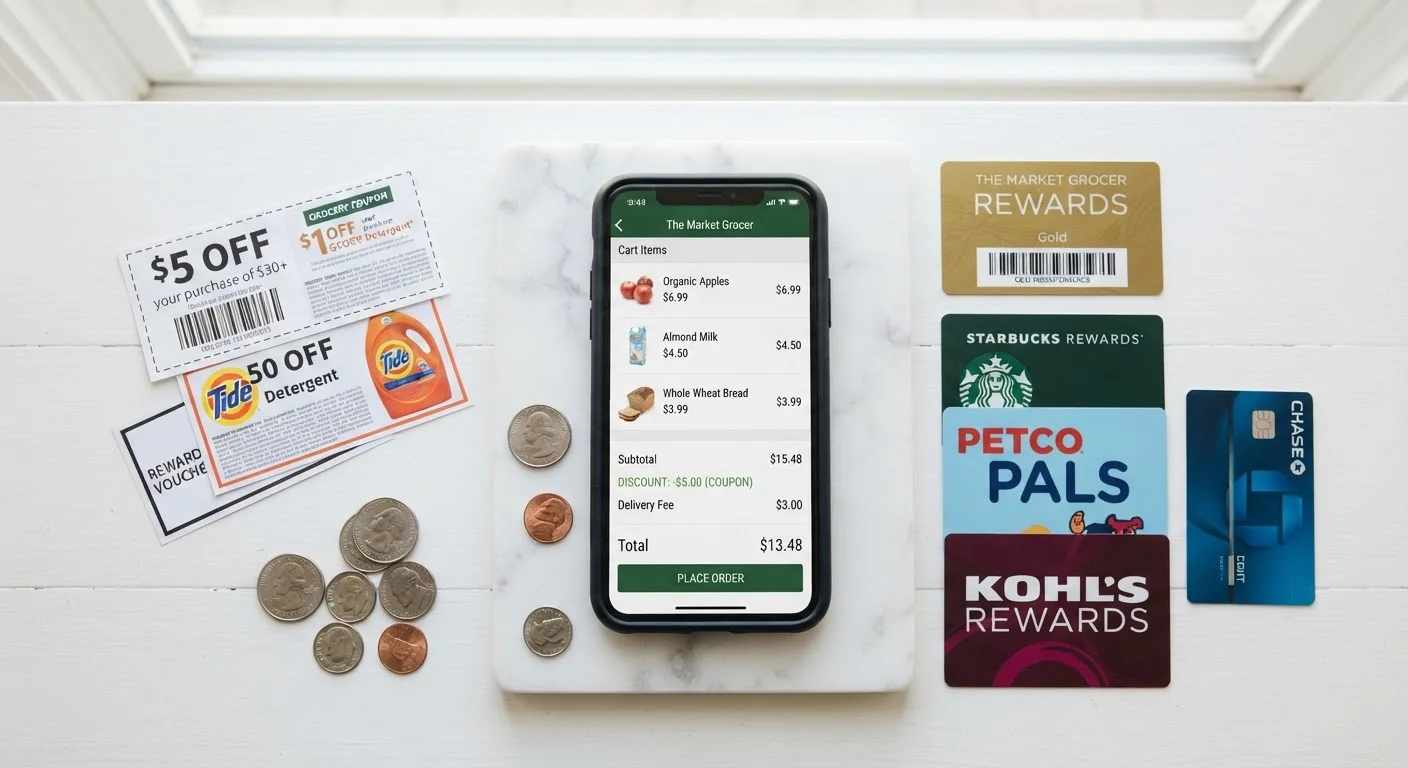
Photo credit: ResultsRover.com | Insights You Can Trust
In this article
Some stores let you layer multiple discounts in one purchase. Learn the rules around coupon stacking and how to do it without violating store policies.
Key Takeaways
- Not all stores allow stacking — always read the coupon policy before checkout.
- Manufacturer coupons and store coupons can often be combined; two store coupons typically cannot.
- Cash-back apps and loyalty rewards generally stack because they operate outside the retailer's system.
- Applying discounts in the wrong order can reduce your total savings.
- Misusing stacking can get accounts flagged or transactions reversed by retailers.
Why Stacking Rules Exist — and Why They Vary
Retailers and manufacturers each fund their own discounts separately. A manufacturer coupon reimburses the store from the product maker's budget; a store coupon comes out of the retailer's margin. Because these are distinct funding sources, combining them is structurally different from applying two coupons backed by the same party — and that's why stacking one of each is often permitted while stacking two of the same type is not.
The variation across retailers exists because there is no universal rule. Each chain sets its own policy based on its margin structure, fraud history, and competitive positioning. A grocer with thin margins may cap stacking more tightly than a big-box retailer running a loyalty-driven model. Digital and paper coupons also have distinct stacking behaviors worth understanding before you assume they're interchangeable at a given store.
Understanding this funding logic helps you predict what's likely allowed even before you read a specific policy. When two discounts come from different payers, stacking is usually possible. When they come from the same source, it almost never is.
What you will need
How to Stack Discounts Step by Step
The process below applies whether you're shopping in a grocery aisle or checking out on a retailer's website. The key is working through a consistent sequence — policy first, identification second, combination third, execution fourth.
Retailer Coupon Policy Page
Confirms exactly which discount combinations the store permits before you attempt to stack.
Cash-Back App (e.g., a rebate or receipt-scanning service)
Captures rebates after purchase that layer on top of in-store or online discounts.
Store Loyalty Card or App
Unlocks member-only pricing and digital coupons that can sometimes be combined with manufacturer offers.
Rewards Credit Card
Earns points or cash back on each transaction, adding another savings layer that most retailers cannot restrict.
Read the retailer's coupon policy
Before combining anything, locate the store's official coupon policy — typically under the Help, FAQs, or Customer Service section of their website. Look specifically for language about:
- Whether one manufacturer coupon and one store coupon can be used per item
- Whether digital and paper coupons for the same item can stack
- Restrictions on stacking with sale or clearance prices
- Limits on the number of like coupons per transaction
If the policy is ambiguous, call customer service and ask directly. Keep a note of what you were told — it protects you at checkout.
Identify which discount types you have
Sort your discounts into categories before you plan your stack. The main types behave differently:
- Manufacturer coupons — issued by the product's maker, redeemable at most retailers that carry the product
- Store coupons — issued and funded by a specific retailer, valid only at that store
- Promo codes — typically function as store discounts online
- Loyalty or member pricing — automatic price reduction tied to your store account
- Cash-back rewards — rebates earned after purchase through apps or credit cards
See our breakdown of how each discount type works for a deeper look at the mechanics.
Check whether your specific combination is permitted
The most commonly allowed combination is one manufacturer coupon + one store coupon per item. Beyond that, eligibility gets store-specific. Common permitted stacks include:
- Manufacturer coupon + store coupon + loyalty member price
- Online promo code + cash-back portal rebate
- Store sale price + manufacturer coupon + rewards credit card earnings
Combinations that are almost universally blocked include stacking two manufacturer coupons on the same product or applying a percentage-off promo code on top of a buy-one-get-one offer (though some stores permit this — policy is the only reliable guide).
Apply discounts in the right order
For in-store purchases, present coupons in this general sequence to avoid errors:
- Load digital coupons to your loyalty account before arriving at the store
- Scan your loyalty card or app first at the register to activate member pricing
- Present store coupons next
- Present manufacturer coupons last
For online purchases:
- Click through any cash-back portal link before adding items to your cart
- Add items, then apply the store promo code at checkout
- Pay with a rewards credit card to capture that final layer
Order matters because some registers calculate percentage-off coupons against the already-reduced price, which can affect total savings.
Verify savings before finalizing the transaction
Before you confirm payment — online or in-store — review the itemized total. Confirm that each discount you expected has actually applied. Discrepancies to watch for:
- A coupon that scanned but was overridden by a stacking restriction you missed
- A promo code that applied to only part of your cart
- Member pricing that didn't activate because you weren't logged in
At a physical register, it's acceptable to pause and ask the cashier to review line items before completing the transaction. Online, screenshot your cart summary showing all applied discounts before clicking purchase.
Stacking Violations Can Cost You More Than the Savings
Attempting to combine discounts in ways a store explicitly prohibits — even unintentionally — can result in your loyalty account being suspended, pending cash-back rewards being forfeited, or future transactions being flagged. Always verify policy before you stack, not after a problem appears at the register.
For a broader framework on building this habit consistently throughout the year, see the complete roadmap to using deals and coupons effectively.
Common Mistakes That Eliminate Your Savings
Even experienced shoppers make stacking errors that wipe out their discounts or create checkout friction. The most frequent:
- Assuming online codes and in-store coupons are interchangeable. Many retailer policies treat these as separate channels with separate rules.
- Stacking on already-excluded items. Sale items, clearance goods, and certain categories (alcohol, pharmacy, gift cards) are routinely excluded from coupon eligibility.
- Forgetting to activate digital coupons before shopping. Unactivated digital coupons don't apply retroactively in most systems.
- Using coupons on items that don't match the exact product description. Size, variety, and count matter — a coupon for a 32 oz. product won't legitimately apply to the 16 oz. version.
These mistakes aren't just missed savings — repeated misuse of coupons (intentional or not) can result in retailers flagging accounts or refusing future transactions. Stay within policy, and the system works in your favor. Coupon habits can also push you toward unnecessary purchases — a separate risk worth keeping in mind.
Test Your Stack on a Small Purchase First
If you're trying a new combination at a store for the first time, test it on a single low-cost item before applying it to a full cart. This confirms the stack works as expected without risking a complex transaction being partially voided. Once you've verified the combination, you can apply it confidently on larger orders.

Author
Smart Shopping Editorial Team
Smart Shopping Editorial Team is the collective byline for our editorial team and contributor network. Articles published under this byline or an editorial pen name are researched, written, and reviewed according to our editorial standards for clarity, consistency, and independence before publication.
View all articles →